Leading AI Image Generation Tools for Blog Featured Graphics and Layouts
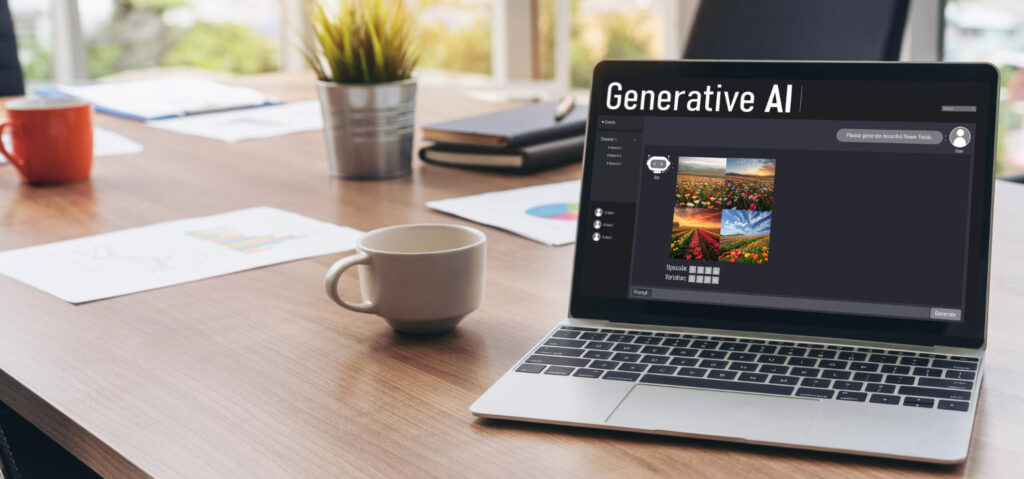
In the contemporary digital publishing sphere, visual appeal holds an indispensable position. The moment a visitor arrives on your blog, your featured image serves as the very first element they engage with. A common, uninspired stock photograph can immediately prompt a user to exit the page, indicating weak engagement to search algorithms. Conversely, a tailored, highly compelling visual asset can draw in your audience, enhance the duration of their visit, and considerably uplift your overall click-through rate (CTR).
As the digital landscape continuously transforms, the manual search for creative resources has evolved into a significant operational hurdle. To forge an efficient workflow, astute creators are increasingly adopting specialized design platforms. Harnessing advanced AI image creation tools for blogs enables you to bypass frequently used stock libraries and cultivate a magnificent, branded visual identity almost entirely automatically.
Midjourney V7
For publishers who demand uncompromising, breathtaking aesthetics, Midjourney emerges as an absolute titan. The platform has transcended its earlier limitations, now delivering unmatched image fidelity, textural nuances, and intricate rendering.
This platform excels at transforming abstract textual prompts into highly distinctive illustrations, artistic masterpieces, or cinematic photorealistic scenarios. It proves particularly effective if your aim is to forge a unique, recognizable visual signature across your interconnected content series. Rather than generating standard, somewhat artificial-looking vector files, the system provides depth, rich illumination effects, and precise design components that appear as though meticulously crafted by a high-caliber digital agency.
Canva AI (Magic Studio)
Should your daily tasks involve converting nascent AI concepts into polished, production-ready blog headers, prominent images, and social media templates within a unified interface, Canva’s integrated Magic Studio represents an exceptional solution.
Canva embeds its generation functionalities directly into an intuitive drag-and-drop design ecosystem. Once the system produces your foundational graphic, you can leverage built-in machine learning capabilities such as Magic Expand to adapt your layout aspect ratios for multi-channel distribution, or employ automatic background removal to instantly isolate subjects. It offers the ultimate operational streamlining for creators who seek to rapidly add text overlays, brand-specific color palettes, or vector frames without the need to switch between various external applications.
Elementor AI
For WordPress developers and web designers who prioritize complete platform integration, Elementor AI profoundly redefines the process of constructing layouts. Instead of downloading visuals from a third-party application, renaming files for SEO purposes, and then manually uploading them to your media library, you can both generate and refine assets directly within the live page builder canvas.
The tool operates with contextual awareness, meaning it analyzes the existing structure of your page section to align with the stylistic tone, container dimensions, and fundamental aesthetic principles of your site. You can effortlessly extend current images to perfectly fit expansive hero sections, modify color schemes instantaneously, or produce precisely sized thumbnail variations without ever needing to depart your browser tab. This eliminates friction, saving web development professionals considerable time during site deployment.
Ideogram
A persistent hurdle when utilizing conventional text-to-image models is their inherent difficulty in accurately rendering letters and full sentences within a graphic. If your requirement is a featured image that incorporates a book cover, a distinct quotation, or a clean graphical interface with clearly readable English typography, Ideogram stands as an indispensable utility.
The algorithm is specifically engineered with an emphasis on advanced spatial comprehension and typographic exactitude. It meticulously adheres to highly intricate prompt descriptions, guaranteeing that your designed blog banners showcase sharp, clear text overlays that are devoid of the typical garbled AI-generated spelling inaccuracies. This makes it extraordinarily proficient for creating highly impactful infographics, sequential visual tutorials, or specific title-card featured graphics.
Google Gemini (Flash Image)
When demanding high-volume publishing schedules necessitate swift ideation and a continuous flow of complementary graphics, Google Gemini provides a highly accessible, interconnected environment.
Operating through a conversational chat interface, the system empowers you to construct comprehensive article content and instantly produce corresponding layout images within the very same workspace. Its multimodal capabilities imply that you can readily upload an existing screenshot or a brand style exemplar and direct the AI to replicate that precise color grading, orientation, and layout configuration. It delivers a smooth, unimpeded workflow for publishers who place a premium on speed and cross-platform compatibility.
Optimizing AI-Generated Graphics for WordPress SEO
Merely uploading an aesthetically pleasing AI asset constitutes only half the endeavor. To ensure your blog visuals actively contribute to your search engine visibility and sustain swift page loading performance, execute this strategic technical protocol:
Firstly, never upload an image directly in its raw, generated state. AI image generators frequently produce substantial, uncompressed PNG files that impede your server’s efficiency. Employ a compression utility to convert your graphics into contemporary web formats such as WebP or AVIF to guarantee ultra-fast mobile rendering.
Secondly, institute a precise, keyword-aware file naming convention. Transform abstract file designations like “input_9283.webp” into descriptive, lowercase terms linked by hyphens, for instance, “ai-image-generators-for-blogs-featured.webp”.
Finally, compose descriptive, context-rich alternative text (Alt Text) within your WordPress media repository. Refrain from excessive keyword repetition; instead, craft a natural, explanatory sentence detailing precisely what the visual depicts while seamlessly incorporating your secondary target keyword to assist indexing crawlers in accurately classifying your media assets
FAQS
The extent of commercial rights is wholly contingent upon the specific platform and your selected subscription level. Prominent paid platforms such as Midjourney, Adobe Firefly, and the premium versions of Canva, bestow complete commercial utilization permissions for your website content designs, while the no-cost versions of some generators might impose particular limitations or demand the inclusion of watermarks from the service. It is imperative to consistently confirm the up-to-date service agreements within your live account interface.
The creation instruments themselves hold no bearing on your site’s loading velocity; however, the output files absolutely will if they are published without appropriate optimization. Given that AI generative platforms frequently produce high-definition files, it is crucial to personally trim, reduce the size of, and adjust the dimensions of these elements to align with the precise container specifications of your WordPress setup prior to making them live on your website.
Although the majority of text-to-image generators chiefly concentrate on outputting raster image types such as JPEG or PNG, sophisticated design environments, including Canva AI or those with Adobe Illustrator integration, possess the ability to produce crisp, two-dimensional vector illustrations. Subsequently, these creations can be readily employed as adaptable design components for bespoke website structures, graphical symbols, or textural backgrounds.